

Built for a higher perspective
Video transmission
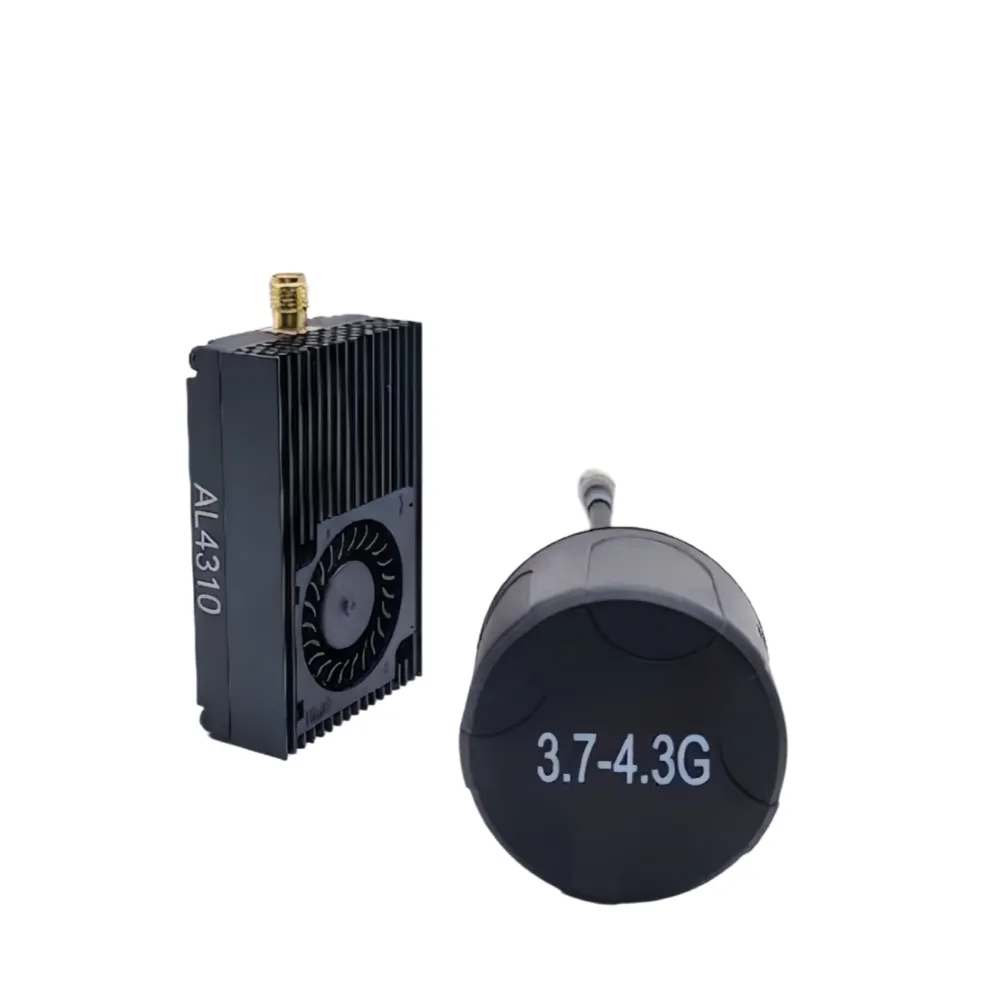
Shrimp B 4.3G 10W FPV Video Transmitter
Analog video transmitter with 32 channels across 3700–4320 MHz, selectable output up to 10 W and IRC Tramp control.
- Frequency range
- 3700–4320 MHz
- Channel count
- 32 channels
- Output power
- 10 W
- Input voltage
- 12–36 V
A closer look at Shrimp B 4.3G 10W
Views include: Transmitter and antenna reference; Rear housing and cable.
- Cooling fan and finned housing
- Antenna connection
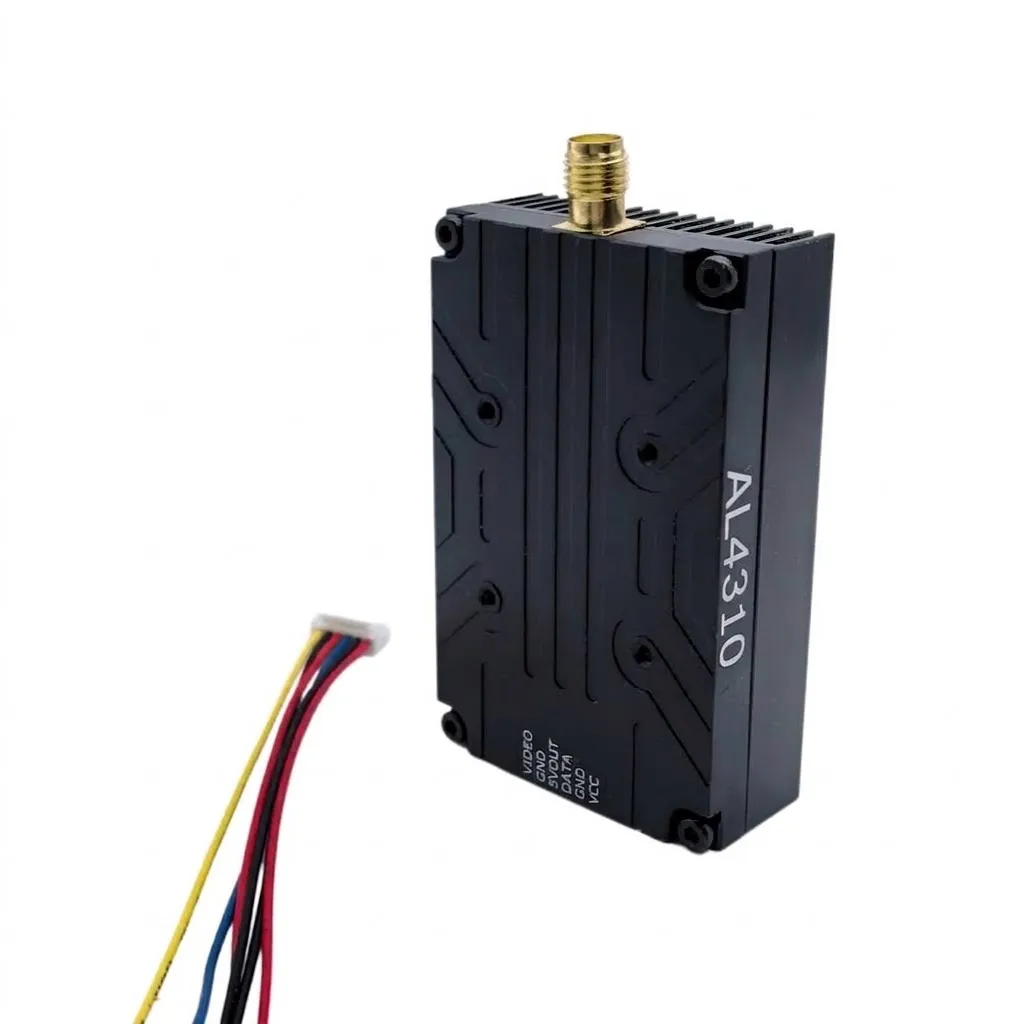
Accessories shown are for reference. Confirm the supplied configuration when enquiring.
Shrimp B 4.3G 10W specifications
The key electrical specifications, together in one place.
| Product | Shrimp B 4.3G 10W |
|---|---|
| Type | Analog video transmitter |
| Frequency range | 3700–4320 MHz |
| Channel count | 32 channels |
| Output power | 10 W |
| Input voltage | 12–36 V |
| Control protocol | IRC Tramp |
| Dimensions | 58 × 36 × 16 mm |
| Mounting hole spacing | 20 × 20 mm |
| Weight | 36.8 g |
| Selectable output levels | PIT / 2.5 / 5 / 7 / 10 W |
Additional electrical specifications
| Modulation | FM |
|---|---|
| Frequency control | PLL |
| Frequency precision | ±200 kHz (typical) |
| Video input level | 1 V ±0.2 Vp-p (typical) |
| Signal-to-noise ratio (±3 MHz) | >55 dBc |
| Operating temperature | −10 °C to +70 °C |
32-channel frequency table
Frequencies are in MHz. Match the exact frequency with your receiver; band labels can differ between models.
| Band | CH1 | CH2 | CH3 | CH4 | CH5 | CH6 | CH7 | CH8 |
|---|---|---|---|---|---|---|---|---|
| A | 3700 | 3720 | 3740 | 3760 | 3780 | 3800 | 3820 | 3840 |
| B | 3860 | 3880 | 3900 | 3920 | 3940 | 3960 | 3980 | 4000 |
| E | 4020 | 4040 | 4060 | 4080 | 4100 | 4120 | 4140 | 4160 |
| F | 4180 | 4200 | 4220 | 4240 | 4260 | 4280 | 4300 | 4320 |
Compare exact channel frequencies before pairing equipment. Band names alone do not confirm compatibility.
Connect. Configure. Check.
Check the connection labels and the matching manual before installation.
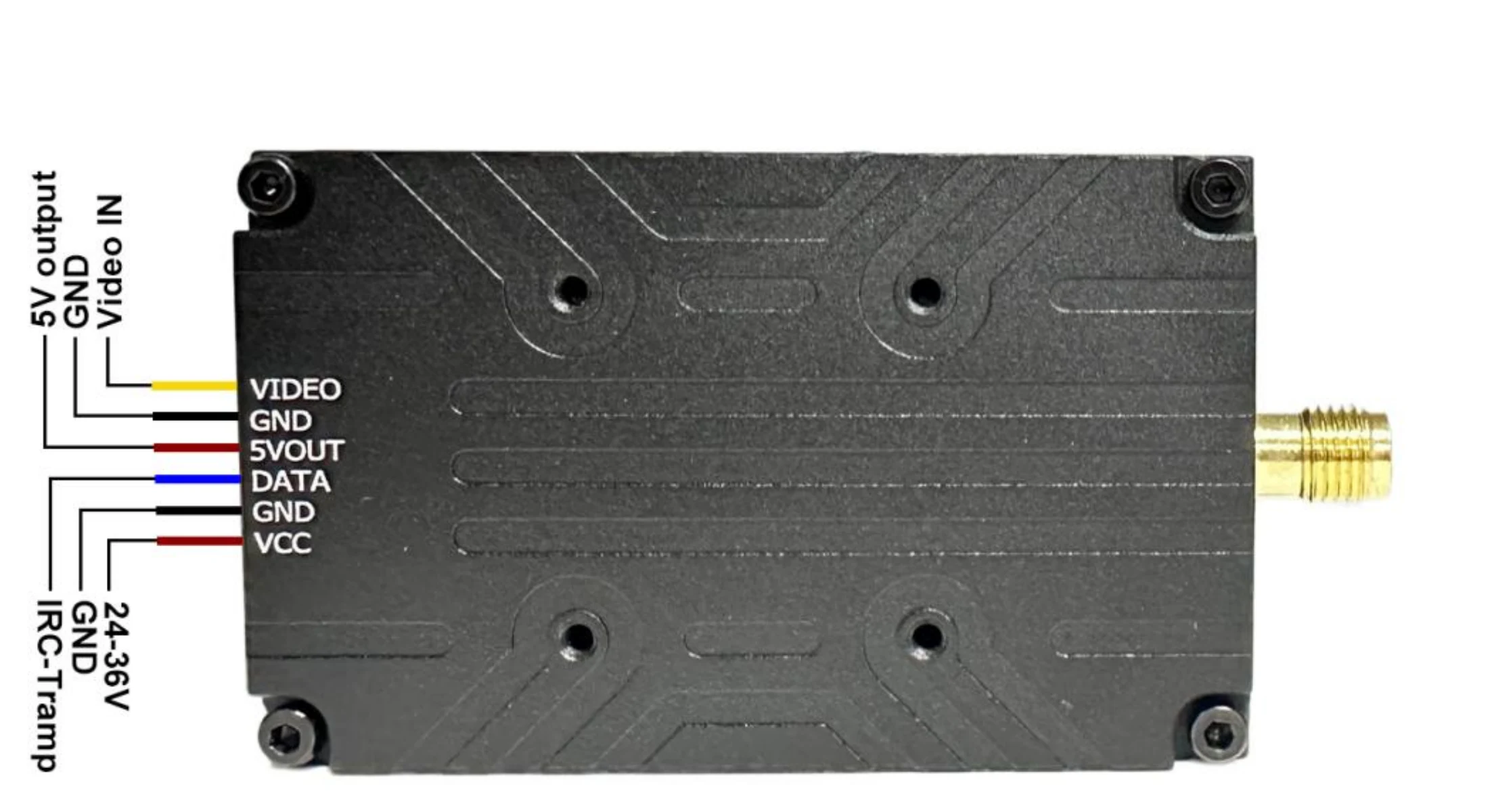
Connection reference
- VIDEO
- Analog video input
- GND
- Ground (two connections)
- 5VOUT
- 5 V camera output
- DATA
- IRC Tramp control connection
- VCC
- Power input — confirm the voltage range for the supplied hardware version
Use the connection labels and operating steps below. Check connector polarity before installation.
Button operation
Choose a channel
Short-press the frequency button to enter channel setup. With the indicator flashing, use short presses to select a channel.
Choose a band
Hold the frequency button for 3 seconds to enter band setup, then short-press to select the band.
Set output power
Short-press the power button to enter power setup, then use short presses to select the output level. Connect DATA for IRC Tramp control via the flight controller.
Connect the antenna before powering on. Mount the transmitter securely and allow cooling airflow.
Antenna reference
Antenna characteristics listed in the supplied 4.3 GHz 10 W technical sheet. Check the connector, polarization and installation space for your setup.
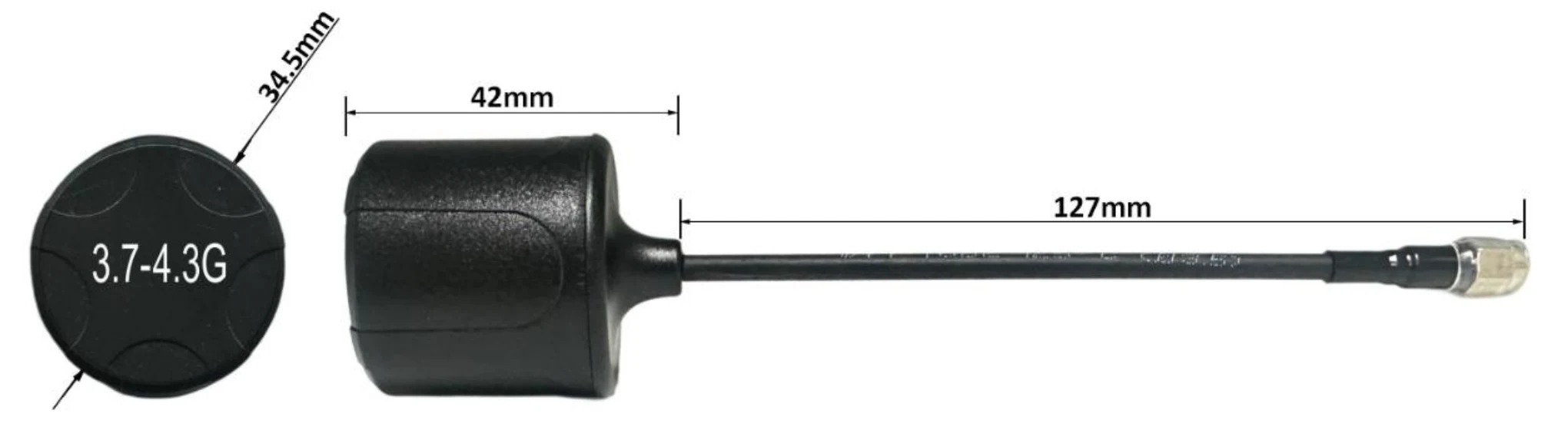
Reference configuration only. Confirm the antenna model, frequency coverage, connector and supply scope for your order.
| Frequency coverage (technical sheet) | 3700–4320 MHz |
|---|---|
| Gain | 5 dBi |
| Polarization | RHCP |
| Radiation pattern | Omnidirectional |
| Impedance | 50 Ω |
| VSWR | <1.5 |
| Connector | SMA male |
| Cable | RG141 semi-steel |
| Housing dimensions (drawing) | 34.5 mm diameter × 42 mm length |
| Cable length (drawing) | 127 mm |
Check your setup before ordering.
Check frequency matching, the power supply and installation connections before ordering.
Channel matching
Compare the channel table with your receiver before pairing.
Power supply
Confirm the input voltage and polarity for the supplied hardware version before connecting power.
Installation and connections
Check the 58 × 36 × 16 mm housing, 20 × 20 mm mounting pattern and cable labels. Allow space for cooling airflow.
Enquire about Shrimp B 4.3G 10W.
Tell us your quantity and setup requirements. We will confirm pricing and delivery options.